


Save every Hailuo video with its prompt and settings
Updated
Every video you make on Hailuo lands in your own library with the prompt and the settings that made it. Find the take you need by a word you remember.
Why Hailuo takes get lost
Hailuo is quick at short, lively clips, which means you make a lot of them. On Hailuo’s create page your videos are grouped by day, each with its prompt and a row of settings beside it. After a busy week that is a long page, and the take a client liked is somewhere in it.
The prompt and settings live on that page. Download a clip and you get an MP4 that knows nothing about how it was made. When you need a second take in the same style, or have to say which prompt made the approved shot, you are back to scrolling day by day.
That is what searches like “hailuo ai save video”, “download hailuo video” and “hailuo ai history” are really about: keeping each clip together with what made it, in a place you control, next to the stills and clips from your other tools.
Short clips also tend to be made in bursts: ten variations in an afternoon, then nothing for a week, then a client asks for the one from that afternoon. Without the prompt attached, the clip is easy to find visually and hard to reproduce.
How Dreamdrive solves it on Hailuo
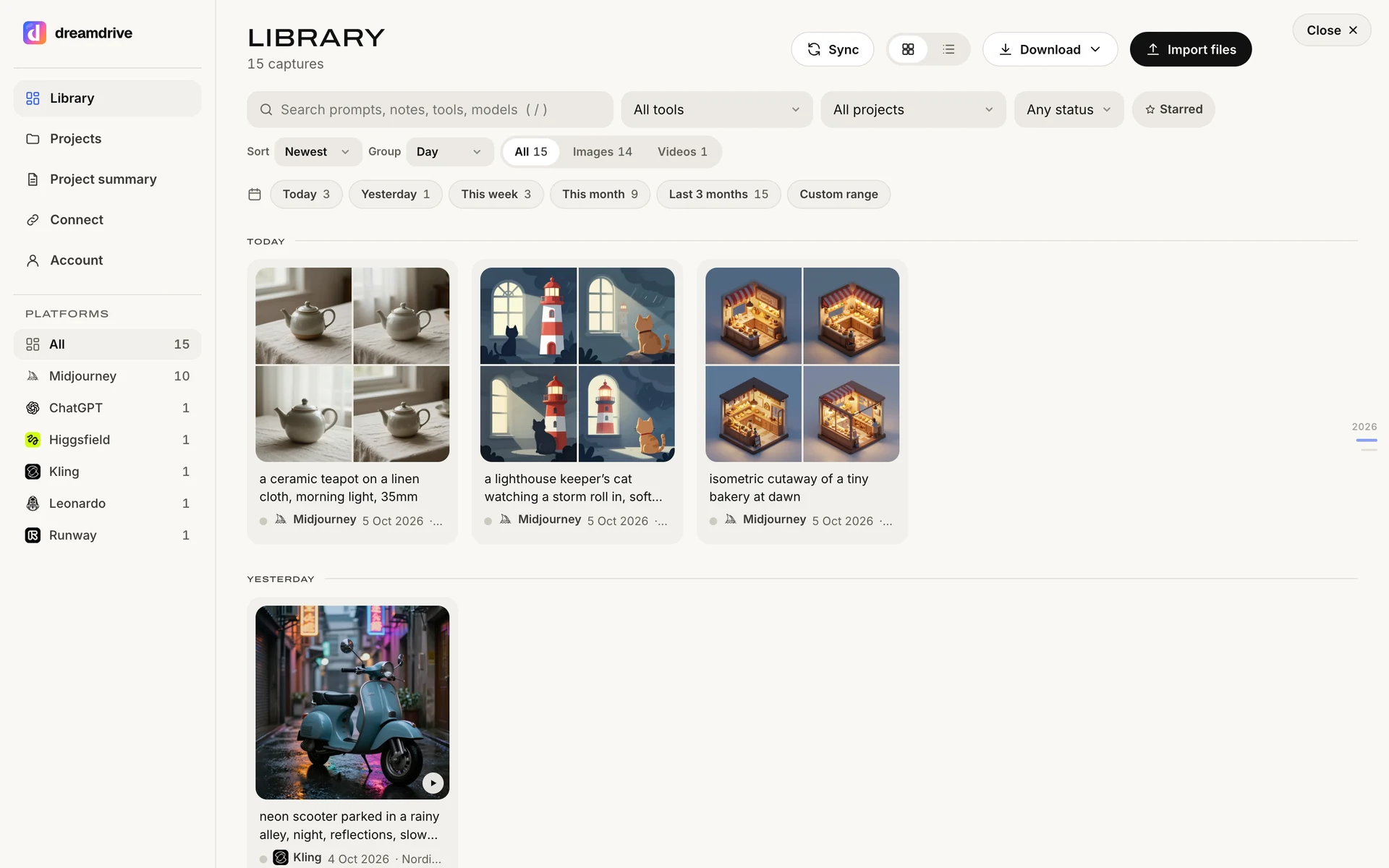
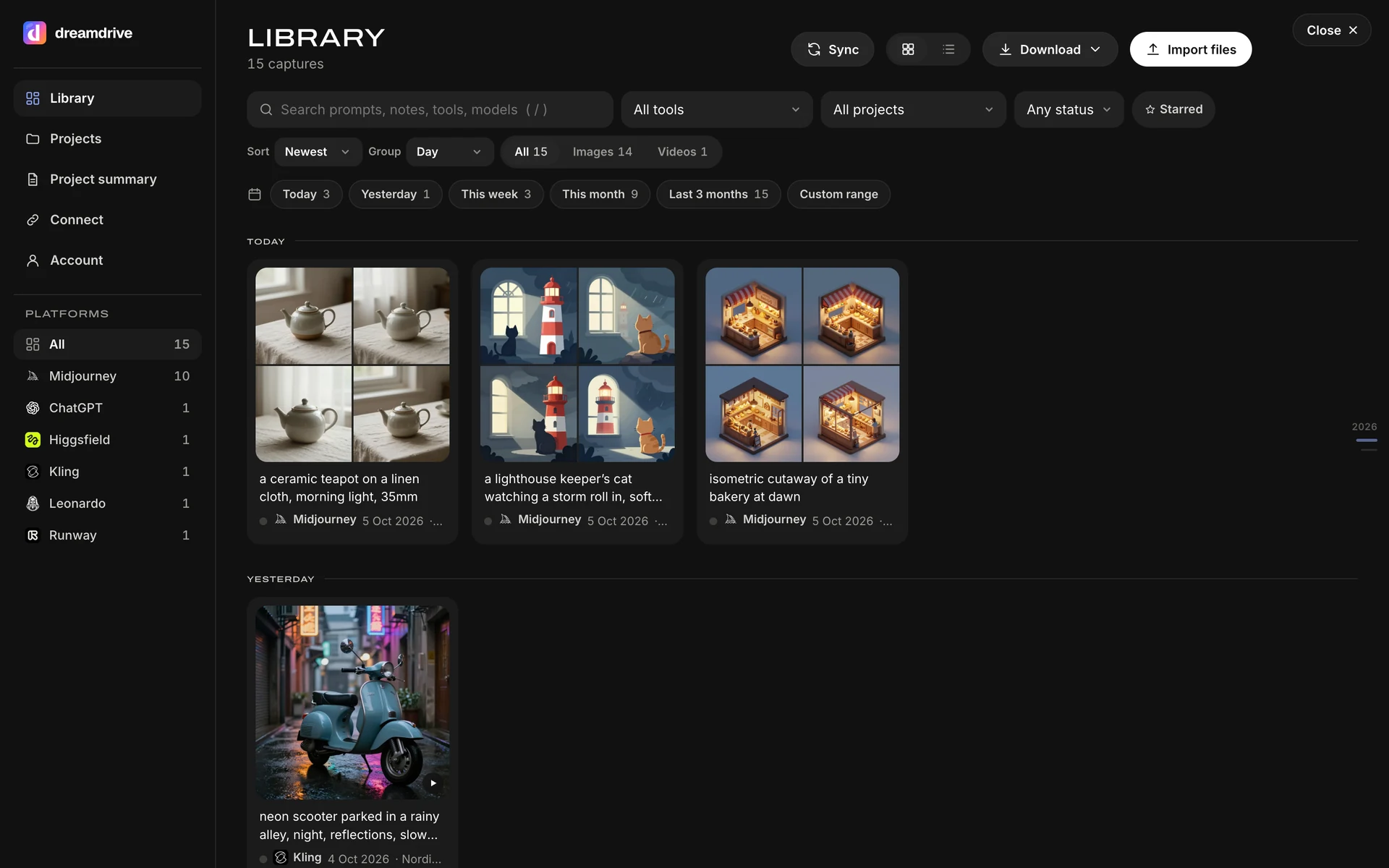
With Hailuo switched on, Dreamdrive reads your own create page as your videos appear. Each video lands in the side panel with its prompt and the setting chips Hailuo shows beside it, and the video itself is kept as a file. Hailuo’s discover and community pages are never read. Dreamdrive never generates or submits anything, so it uses none of your credits.
- Automatic saving of your own Hailuo videos as they appear.
- The prompt, with the model and settings Hailuo shows on the clip.
- The video file itself, with a poster frame as its thumbnail.
- Only your own work, never the discover or community pages.
- If something is missed, point at it and press Save, or right-click and choose Save to Dreamdrive.
How to set it up
- Add Dreamdrive to ChromeInstall it from the Chrome Web Store and sign in with Google or an email code. Every account starts with 14 days of Pro, no card.
- Switch Hailuo onOpen the Dreamdrive side panel, find Hailuo in the Connect list and switch it on. Chrome asks whether Dreamdrive may read Hailuo: that permission covers Hailuo only, and Dreamdrive reads nothing on sites you have not switched on.
- Make something on hailuoai.videoGenerate as usual. Each finished video appears in the side panel a moment later with its prompt. Opening your create page picks up recent videos you made before switching Dreamdrive on.
- Choose where it goesPick a project (and a folder) under Saving to, for example the client the work is for. New captures land there; you can move anything later.
- Find it, reuse it, hand it overSearch by any word you remember from the prompt, copy the prompt, drag the picture into another tool, or share the project summary with a client.
What is saved from Hailuo
| Field | What Dreamdrive keeps |
|---|---|
| Prompt | The prompt shown with the video on your create page. |
| Model and settings | The chips Hailuo shows beside the clip, such as the model, length and resolution. |
| Results | The video file with a poster frame. |
| Time, project and notes | When it was made, the client project you chose, your notes and approval status. |
Every field is marked auto (read from the page), file (read from the file) or manual (typed by you), so you and your client can see how each one was obtained. Files are stored on Dreamdrive in the EU at the resolution Hailuo delivered them, up to 95 MB each: 2 GB on Free, 50 GB on Pro and the trial. You can also keep a full-size copy of every file on your computer.
Keep the videos already on your Hailuo page
Videos that appear on your own create page with Dreamdrive switched on are picked up as you scroll. Dreamdrive never scrolls for you; it reads what your own browser shows.
Clips you downloaded before can be imported: drop them on Bring in older work. A downloaded MP4 does not carry its prompt, so add it by hand if you have it, and Dreamdrive marks that field manual.
Example: from a still to a Hailuo clip and back to the client
Drag a still from your Dreamdrive library (a Midjourney frame, a ChatGPT product shot) onto Hailuo’s image upload. Dreamdrive hands over the full-size file. When the clip is ready, it lands in the same project as the still.
For the hand-over, the project summary lists the approved clip with its prompt, settings and who approved it, and a share link lets the client watch it without an account. See Dreamdrive for Midjourney.
Tips for keeping Hailuo work tidy
- Make one Dreamdrive project per film or client so every take lands together.
- Star the take you keep and note the shot name; both are searchable.
- Drag starting stills from Dreamdrive so the still and the clip sit in the same project.
- Check the project before a hand-over: approved clips are what the project summary lists.
Organise Hailuo work by client
Captures go into the project you choose under Saving to, so Hailuo work for one client never mixes with another’s. Inside a project you can add folders (a round, a deliverable, a channel), star the ones that matter and add notes. Search covers every field at once: a word from the prompt, a model, a setting, a client or a note, across Hailuo and every other platform you use.
When a client approves a result, mark it approved; Dreamdrive records who approved it and when. On Pro, the one-page project summary lists the approved and delivered work per platform: the models used, the plan you declared, a link to the platform’s own terms, and for each result its prompt, settings and references. It prints, saves as a PDF, exports to CSV, and can be shared through a link you can turn off at any time. It lists facts and is not legal advice.
Your Hailuo work stays yours
Dreamdrive is read-only. Chrome asks your permission for each site you switch on, and nothing is read anywhere else. Captures are private to your account; nothing is shared unless you make a share link, which is unguessable, kept out of search engines and revocable. Files and records are stored in the European Union, and your prompts, clients and notes are used to run your library and for nothing else: not for training, not for marketing. You can download everything as a zip with a CSV and JSON of the details, or delete it, at any time.
What it costs
The Free plan costs nothing and shows the last 90 days of your work, with 3 projects and 2 GB of stored files. Pro adds the full history, unlimited client projects, 50 GB of stored files, the approval trail, project summaries and share links, for $9 a month or $79 a year. Every account starts with 14 days of Pro, no card. Saving on Hailuo, hover-save, right-click save, file import and downloads are on every plan. When a trial or subscription ends, nothing is deleted.
Honest limits
- Dreamdrive reads hailuoai.video in Chrome on your computer, only your own create page.
- Older videos are saved when they appear in your browser or when you import files.
- If Hailuo changes its site, automatic saving can miss something until Dreamdrive is updated; hover-save and right-click save keep working.
- Videos count towards storage: 2 GB on Free, 50 GB on Pro, up to 95 MB per file.
Questions about Hailuo and Dreamdrive
How do I save Hailuo videos with their prompts?
Does a downloaded Hailuo video keep its prompt?
Can I search my Hailuo videos by prompt?
If I delete a video on Hailuo, is my Dreamdrive copy deleted?
Does Dreamdrive save other people’s Hailuo videos?
Is Dreamdrive part of Hailuo?
Can I hand Hailuo clips to a client with their prompts?
Does Dreamdrive work with Hailuo’s mobile app?
Learn Hailuo
Quickstart, settings and the most-asked questions in the Learning Centre: Hailuo.
- Hailuo Prompting Guide: Prompts for Natural AI Video 4 min read
- Hailuo 3 (MiniMax H3) Guide: Modes, Specs and Prompts 5 min read
- Hailuo Reference to Video: Characters, Motion and Voice 5 min read
- Hailuo vs Kling: Which AI Video Model for Which Shot 5 min read
- Hailuo Image to Video: Animate a Still Step by Step 4 min read
Have an image whose prompt you lost? The free Image to Prompt tool reads whatever prompt and settings the file still carries, in your browser.
Also works with
 Runway
 Higgsfield
 Google Flow
 Kling
 Luma Dream Machine
 Pika
 Vidu
 WanAll platforms →
Sources
- Hailuo AI: the web app Dreamdrive reads; your videos are listed on the create page by day (as seen 15 October 2026)
Platform logos belong to their owners and are shown to say where Dreamdrive works. Dreamdrive is independent and not endorsed by any of them.
Free plan, 14 days of Pro to try, no card.